A Chrome and Firefox extension that reads the stack, catalog and SEO of the open tab, calls the store’s APIs with its own session, and unlocks the FastStore CMS preview on your localhost.
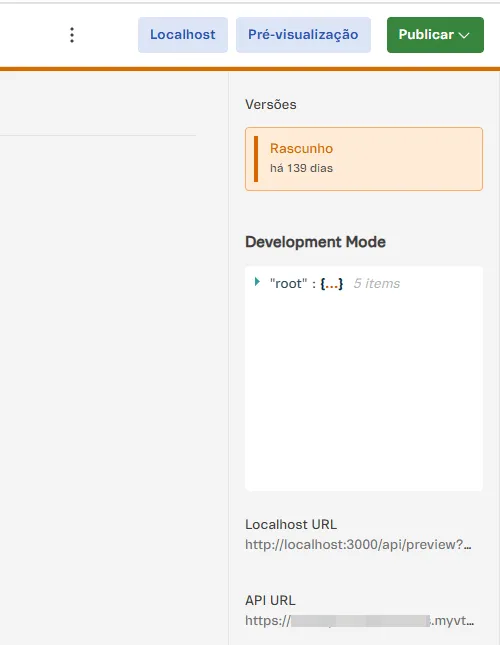
The Preview button of the FastStore CMS — the legacy Headless CMS and Storefront > Content — opens the published store. The extension injects a Localhost button next to it that opens the same URL on your dev server: the whole query preserved, on both CMS versions, and with no cmsDevMode required. Stores on VTEX IO and on the legacy portal preview by workspace and do not use this flow.
02
Fetch runner
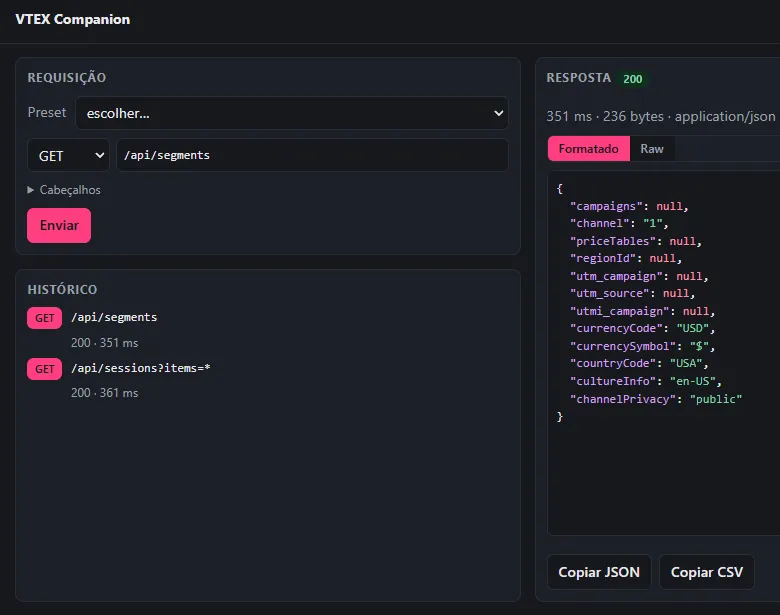
Call the store’s APIs from inside the tab itself, with the session it already has. Presets for Session, Checkout, Catalog, Intelligent Search, OMS and Master Data; the response formatted or raw; session history and copy as JSON or CSV. Any method that changes data asks for confirmation first.
03
Stack detection and session
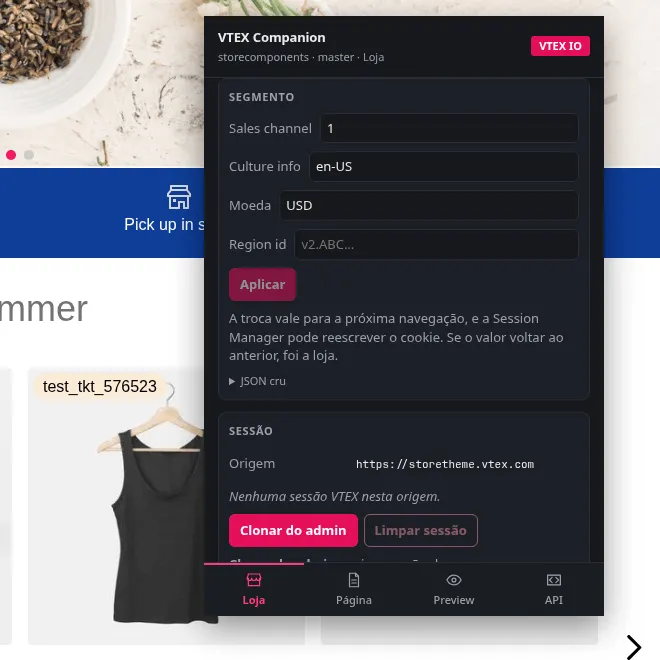
IO, FastStore, legacy CMS Portal or headless — with account, workspace, binding and the signals behind every conclusion. It also reports whether store and admin sessions exist on the origin, and clones the session from {account}.myvtex.com to the store domain without the token ever touching the clipboard.
04
SEO and third-party scripts
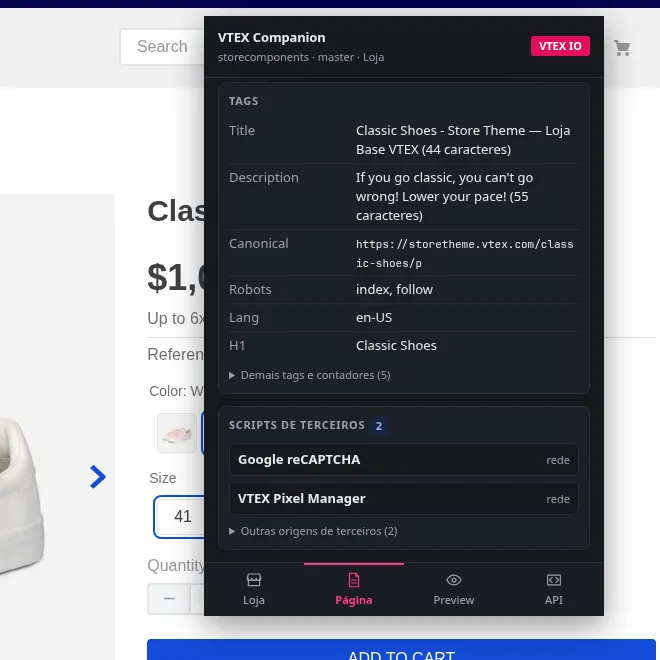
Indexing, canonical, hreflang, JSON-LD, headings and images missing alt, with rules per page type — a PDP with no Product, a listing with no ItemList. Alongside it, the vendors loaded on the page, with the account id where there is one: GTM, GA4, Meta, TikTok, Clarity, Criteo and others.
And more
Page catalog
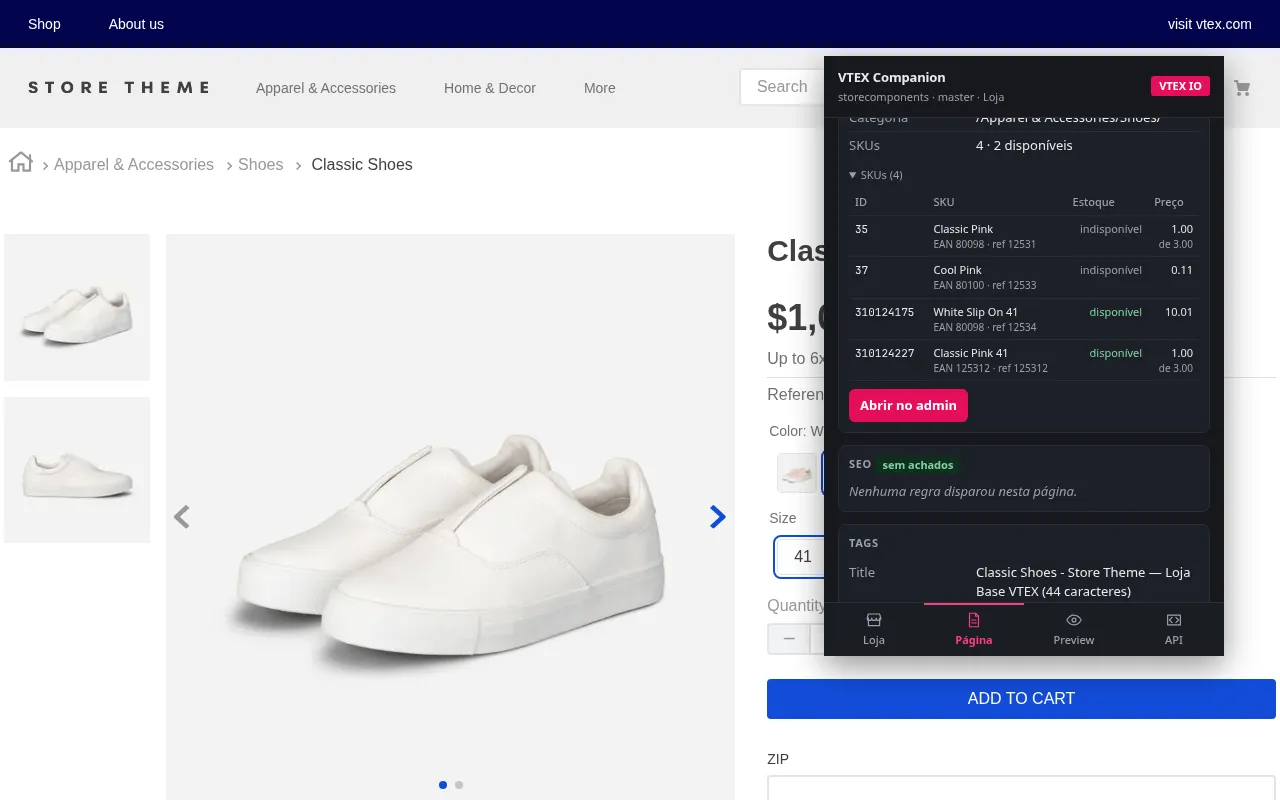
A PDP with the SKU list — EAN, refId, seller, price and availability — and a shortcut into the admin. Listings and search with category, path, term, map and sorting.
DevTools panel
The runner also lives in a VTEX tab in DevTools, with the whole window, on top of the popup.
Chrome and Firefox
One source tree, two MV3 builds: service_worker on Chrome, background.scripts on Firefox.
No global content script
Page reading is injected on demand when you open the popup. That is why installing it never asks to “read your data on all websites”.
It collects nothing
There is no server. The extension reads the tab on demand and discards it when the panel closes. Fixed access is only *.myvtex.com and localhost; store domains are optional, granted by you site by site.